Go to Blogger edit html and find these sentences.Now replace these sentences with your own descriptions.This theme is Bloggerized by Lasantha Bandara - Premiumbloggertemplates.com.
Go to Blogger edit html and find these sentences.Now replace these sentences with your own descriptions.This theme is Bloggerized by Lasantha Bandara - Premiumbloggertemplates.com.
Go to Blogger edit html and find these sentences.Now replace these sentences with your own descriptions.This theme is Bloggerized by Lasantha Bandara - Premiumbloggertemplates.com.
Go to Blogger edit html and find these sentences.Now replace these sentences with your own descriptions.This theme is Bloggerized by Lasantha Bandara - Premiumbloggertemplates.com.
Go to Blogger edit html and find these sentences.Now replace these sentences with your own descriptions.This theme is Bloggerized by Lasantha Bandara - Premiumbloggertemplates.com.
How to Root Almost Any Galaxy S6 or S6 Edge Without Tripping KNOX
download premium apk
Both the Galaxy S6 and S6 Edge have had root methods available to thembefore the phones were even released, but the problem with these existing root methods is that they would trip the KNOX counter on your device.
Why Tripping KNOX Is Bad for Your Phone
To give you a bit of background, KNOX is a security platform for Samsung
devices which ensures that no modifications have been made to the
system partition, and thus, no potential security vulnerabilities have
been created by the user.
In general, as soon as any system-level changes (such as enabling root
access) are detected by KNOX, a hardware fuse is tripped. This fuse
cannot be reset, so once it's been tripped, there's no turning back.
This is why a tripped KNOX counter means your warranty is void, since
there's no way of covering up the fact that you've modified your
software.
It also likely means that you won't be able to use Samsung Pay whenever
that comes out, since the mobile payment service will probably call on
KNOX to make sure that the initial security methods implemented by
Samsung are still in place. So basically, you don't want to trip KNOX if
you can avoid it.
How to Root Your S6 Without Tripping KNOX
Thanks to a new root utility called PingPong Root from developer idler1984, almost all variants of the Samsung Galaxy S6 and S6 Edge can now be rooted without tripping the KNOX counter. And yes, that even includes the AT&T and Verizon Wireless models, whose locked bootloaders have prevented other root methods from working.
Before You Begin
As a heads up, this method utilizes a kernel exploit, which means the loophole that it's using to root your device will probably
be closed soon. For instance, with the Galaxy S5, a similar method
called Towelroot came out, and within a couple of months, it had been
entirely blocked by changes made in over-the-air updates.
So if you want to root your AT&T or Verizon device, the time is now.
And if you want to root without tripping KNOX, this is likely your one
and only opportunity. If your device has received a firmware update at
any point since early May 2015, this method may no longer work. That
being said, there is no harm in trying PingPong—worst case, it won't work, but there will not be any adverse effects to your device.
The lone drawback here is that once you're rooted,
you won't be able to accept over-the-air updates. But manually updating
is still possible without tripping the KNOX counter—you'd just need to
download the newer stock firmware and sideload
it with Odin. And if you want to stay rooted after updating with Odin,
you'll have to wait until a pre-rooted build of the stock firmware is
released by independent developers.
Note that using Odin to flash stock firmware will never trip KNOX, but flashing modified or modified-stock firmware will likely blow the KNOX fuse.
Step 1: Make Sure Your Firmware Version Is Supported
PingPong
Root is compatible with most variants of the Galaxy S6 and S6 Edge, but
only certain firmware versions are supported. To ensure that your
firmware is capable of being rooted with this method, head to your
phone's main Settings menu, then select "About device."
From here, you're looking for the series of letters and numbers that are
listed under the "Build number" entry. More specifically, take note of
the characters that follow the first period in this entry. As you can
see in the above screenshot, my build number is G925TUVU1AOCG.
Now that you know your build number, look through the following list of
supported firmwares to see if your phone is capable of using PingPong
Root. If your build number is listed under the "download data"
sections, your device is still supported, but an extra step will be
needed later.
Samsung Galaxy S6
G9200ZCU1AOD5
G9200ZHU1AOD3
G9200ZHU1AOD9
G920R4TYU1AOD3
G920IDVU1AOD1
G920FXXU1AOCV
G920PVPU1AOCF
G920TUVU1AOCG
G920VVRU1AOC3
G920FXXU1AOBN
G920FXXU1AODG
G9209KEU1AOCI
G9209KEU1AODA
G9208ZMU1AOD5
G9208ZMU1AOCI
G920FXXU1AOD9
G920AUCU1AOCE
G920FXXU1AODE
G9200ZCU1AOD9
G920W8VLU1AOCG
G920FXXU1AOD4
G920R4TYU1AOCB
Builds listed below require you to download data (more on this later)
G920FXXU1AOCY
G920IDVU1AOC4
G920FXXU1AODI
G9209KEU1AOD5
G920IDVU1AOBQ
G9208ZTU1AOD9
G920FXXU1AOE3
Samsung Galaxy S6 Edge
G9250ZCU1AODC
G925VVRU1AOC3
G925FXXU1AOD9
G925PVPU1AOCF
G925FXXU1AOCV
G925AUCU1AOCE
G925TUVU1AOCG
G925W8VLU1AOCG
G925IDVU1AOD1
G925SKSU1AOD5
Builds listed below require you to download data (more on this later)
G925FXXU1AOD4
G925R4TYU1AOD3
G925FXXU1AODG
G925FXXU1AOCZ
G925IDVU1AOD3
G925LKLU1AOD8
G925SKSU1AOD8
G925FXXU1AOE3
G925PVPU1AOE2
G925FXXU1AOD8
G9250ZTU1AODC
G9208ZTU1AOCI
If you do not see your build number listed, refer to the developer's thread, as new builds are being added to the support list.
Step 2: Install PingPongRoot & SuperSU
If your build number is listed above, you're ready to go. First up,
you'll need to make sure your Galaxy S6 or S6 Edge is set up for sideloading apps. To do that, head to Settings, then "Lock screen and security," and make sure that the "Unknown sources" option is enabled.
At this point, you're ready to install PingPong Root. Point your Galaxy S6's web browser to this link to download a copy of the APK installer file.
When the file is saved to your device, tap the "Download complete"
notification to launch it. From here, tap "Install," then you may
receive a warning message that this app contains code that attempts to
bypass Android security mechanisms. This is exactly how PingPong
Root works, so it's nothing to be alarmed about. Just tick the box next
to "I Understand," then press "Install Anyway" if you see this message.
When that's finished, tap "Open," then after a few seconds, Android's
installer interface should come up again. This time it's asking you to
install SuperSU, which is a root management app from developer Chainfire. So tap "Install" again, and when that's finished, press "Done" to head back to PingPong Root.
Step 3: Root Your Device
From PingPong Root's main menu, you'll find two buttons—"Get root!" and "Download Data." If your device's firmware was
listed in the "download data" section in Step 1, you'll have to tap the
"Download Data" button at this point, then wait for the app to download
the additional data.
Once you're ready to root your device, tap the "Get root!" button. From
here, you'll see a message that tells you to "Please Wait!!"—take heed
to this message and don't interact with your phone while the root
process is running. After about 30 seconds, a message will appear
informing you that the process was completed. At this point, reboot your
phone as soon as possible.
Step 4: Update Your Superuser Binaries
When you get back up, go ahead and open the SuperSU app that you'll now
find in your app drawer. From here, you'll be informed that your
Superuser binaries need to be updated, so tap "Continue" on this
message.
Next, SuperSU will ask how you'd like to update your binaries. Select
the "Normal" option from this menu, then give it about 30 seconds to
update your binaries. When the process has finished, tap "Reboot" on the
confirmation dialog.
Step 5: Verify Root
After rebooting the second time, your device should be fully rooted and
your KNOX counter will not be tripped. If you'd like to verify that
everything went off without a hitch, I'd recommend that you download an
app calledRoot Checker, which is available on the Google Play Store for free.
After installing Root Checker, simply launch the app, then press "Agree" and "Okay" on the two popups that follow.
From here, you'll be taken to the app's main menu. Tap "Verify Root" to make sure that PingPong Root was successful.
At this point, Root Checker will ask for Superuser access, so tap
"Grant" on the popup. When that's finished, a message at the top of Root
Checker should inform you that your device is properly rooted.
If for some reason you are not rooted at this point, run PingPong Root again (beginning from Step 3), only this time, place your device into Airplane mode prior to starting.
Once you're rooted, you can take advantage of several awesome mods that can customize your device like never before.
CheatEngine For Android – Android Game Hacker
Presenting Android Game Hacker, Cheat Engine For Android.
With this app you can hack almost any games and get unlimited golds, coins, gems, tokens etc.
This app works just like Sb GameHacker and GameGuardian.Just open CheatEngine and start hacking your favaourite game !! Features
Ability to connect to local or remote processes (via IP).
Value types for scanning: for 1, 2, 4, 8 Bytes, Float, Double, String, Array of Byte.
Scan types: exact value, bigger than, smaller than, between or unknown
Values can also be scanned in hexadecimal form
Features a “fast scan” feature, which works pretty good on several games I’ve tested
Can scan read-only or paged memory
Ability to choose the process OR application from a drop-down list
Also features a Memory Viewer (requires some RAM if zoomed out)
How to Install And Start Hacking ?
Download the apk from the link given at the end of the post.
Install the apk.
Open CheatEngine.
Then Open Any Game.
Find the game process in cheatengine list.
Open the process.
Search the value, ex: gold = 1000.
Buy something so that the gold value become decreased ex: 80.
Then in cheat engine you will see the value 1000 become 800.
Add the address of the gold value to the list 4 in list tab, checklist the ACTIVE then change the value ex: 99999.
Google Play is your one-stop shop for all your favorite
entertainment. With over 450,000 apps, millions of songs and books, and
thousands of movies, Google Play has something for everyone. What’s in this version (version 6.9.15G): Modded by ChelpuS
Family Sharing And Gifting
Option To Easily Add NFC-Enabled Credit Cards
You can now copy changelogs and descriptions.
New UI
Use Google LVL protected apps.
Offline verification
New lucky patcher patching not needed any more
Can not download paid apps for free directly
Disable self updating
Billing and License Verification to Proxy does not work
Refund button reworked
Bug Fixed
There are three methods to install it:
Using Patched Google Play Store apk
Using Installer(recommended)
Using Flashable zip(recommended)
Screenshots(Black Mod) Method 1 : Instructions for Using Patched Google Play Store apk download premium apk
Run Lucky Patcher > Menu > Select ‘Patch to Android’
Select √ ‘Signature Verify always True’ and ‘Disable Zip Signature Verify’ > Apply > Yes
After reboot go to ‘Patch to Android’ and check (Patch applied). If
applied exit from Lucky patcher. otherwise do 3rd step again.
Backup current Google play with Titanium backup if you want to restore original version in case.
Rename downloaded ‘Google Patched apk and transfer to sd card. For
GingerBread users > rename to ‘Vending.apk’ For ICS / Jelly Bean
users > rename to ‘PhoneSky.apk’
Open Root Explorer and copy/replace renamed apk to ‘/system/app/’ folder
Set permissions rw-r–r– and Reboot
Done. All Apps on Device with LVL is licensed. (Tested on GoldenDict, PowerAmp and other)
Method 2: Instructions for Using Installer(recommended)
Install, Run and Reboot
Method 3: Flashable ZIP
Keep zip in root folder. Go to recovery and flash it.
Google Play Store v6.9.15G Patched (Original icon) PS:
if you receive the “force close” message when you view “Installed” in
“My app”, please clear cache & data for Google Play Store app
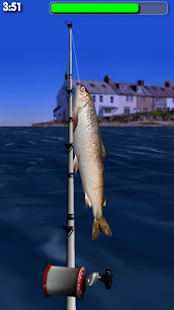
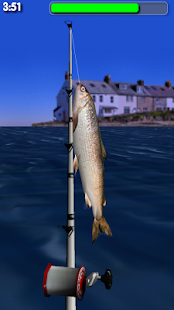
One of the top fishing games with over 9 million downloads! Enjoy beautiful panoramic views and stunning 3D graphics.As
you move your phone, the games view changes so you feel like you're
really there. Realistic 3D fish can be seen swimming beneath the waves
when they are close and will often jump to give away their location when
farther away. When you see a big one just flick your wrist to cast.
Pull back on your phone to hook a fish and fight it as you reel in your
catch. After you catch a fish you can take a picture to view later or
share with friends!
The free Lite version includes the first two
fishing locations in the game. Please note that the video for the game
shows some locations from the full (paid) version of Big Sport Fishing.
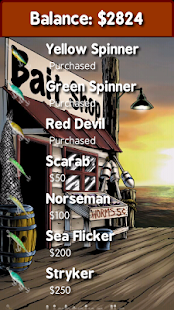
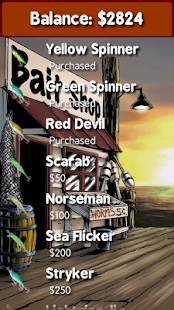
In
Big Sport Fishing Lite you can earn virtual credits to acquire special
bonus items. These credits can also be purchased using an In-App
purchase.
Lorem ipsum dolor sit amet, consectetuer adipiscing elit.
Aliquam tincidunt mauris eu risus.
Vestibulum auctor dapibus neque.
Sample Text
Lorem ipsum dolor sit amet, consectetur adipisicing elit, sed do eiusmod tempor incididunt ut labore et dolore magna aliqua. Ut enim ad minim veniam, quis nostrud exercitation test link ullamco laboris nisi ut aliquip ex ea commodo consequat.
Definition List
Definition list
Consectetur adipisicing elit, sed do eiusmod tempor incididunt ut labore et dolore magna
aliqua.
Lorem ipsum dolor sit amet
Consectetur adipisicing elit, sed do eiusmod tempor incididunt ut labore et dolore magna
aliqua.
Support
Need our help to upload or customize this blogger template? Contact me with details about the theme customization you need.